
Activation
Thanks for your purchase — let's get you activated
ProcessView+ uses a simple, one-time activation. It takes a few minutes on your end, and we issue your registration key within one business day.
- 1
Install ProcessView+
Run the installer on the PC that will manage your chambers. If you bought the full software, use the licensed installer; trial users can install from the Downloads page.
- 2
Open the software and find your serial number
Launch ProcessView+ and open the Help → Registration menu. The registration screen shows the unique Serial Number tied to this machine.
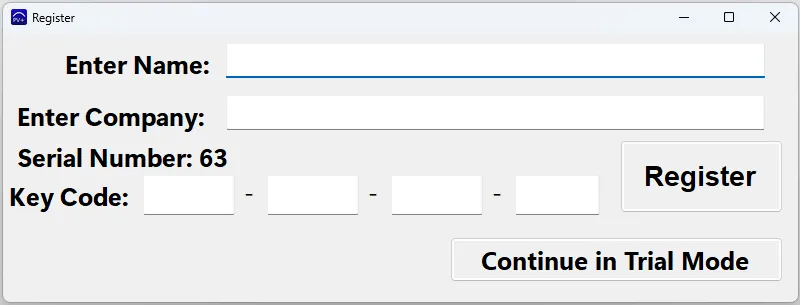
The Register window shows your Serial Number — send us that number and we'll reply with the Key Code to enter here. - 3
Email us your serial number
Send the serial number to our team. Include the name and company used at purchase so we can match your order. We'll reply with your registration key within one business day.
Email my serial number - 4
Enter your registration key
Paste the registration key we send back into the activation screen. ProcessView+ is now fully licensed and ready to run your network.
Need a hand?
If you can't find your serial number or haven't received your key, email support@chamberdatahub.com and we'll help right away.